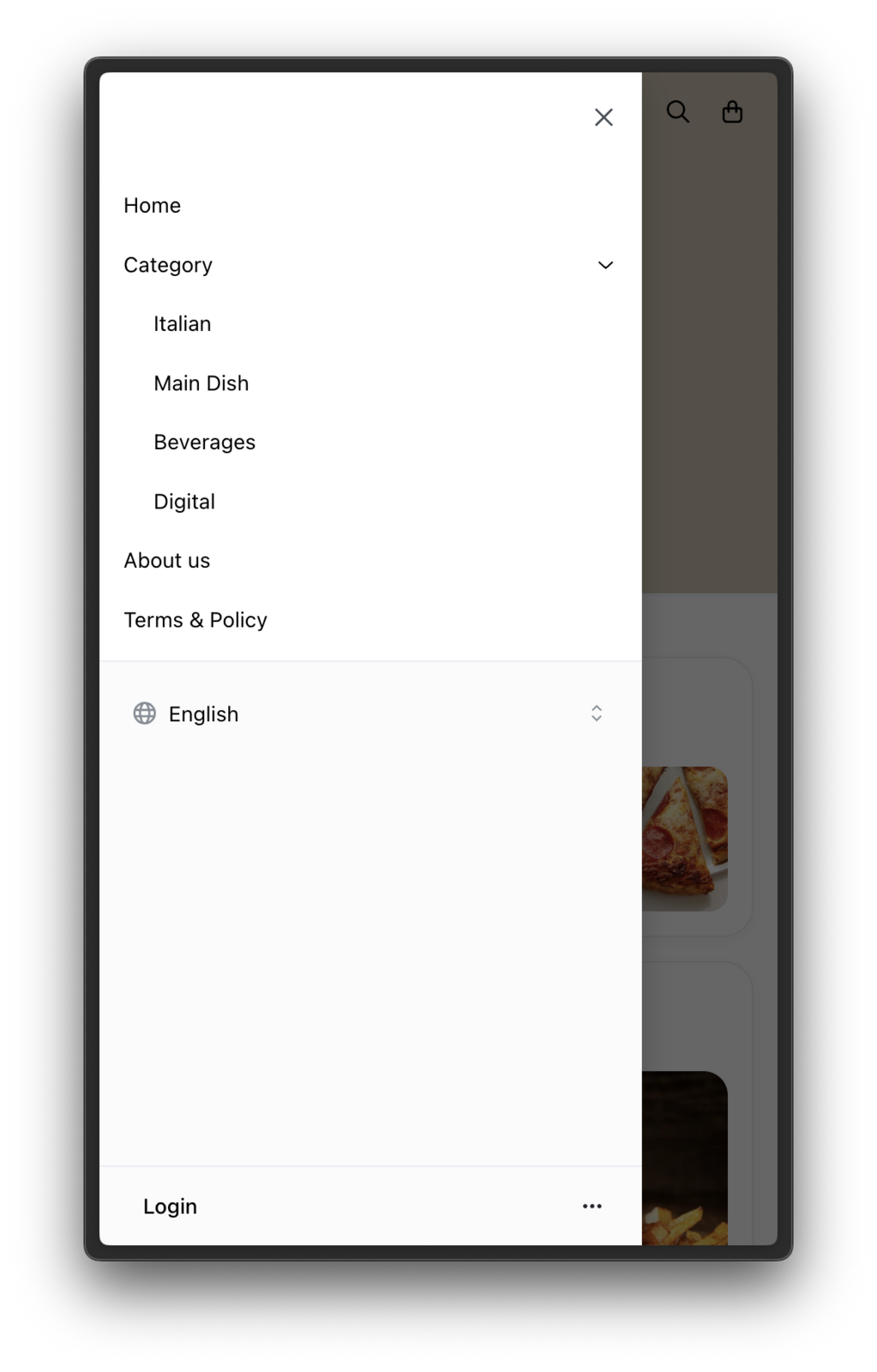
What is a Custom Menu? A custom menu allows you to add extra items to your store's menu bar, such as "Terms & Policies" or "About Us." These items help share important information with your customers in an organized way.
How to Add a Custom Menu
-
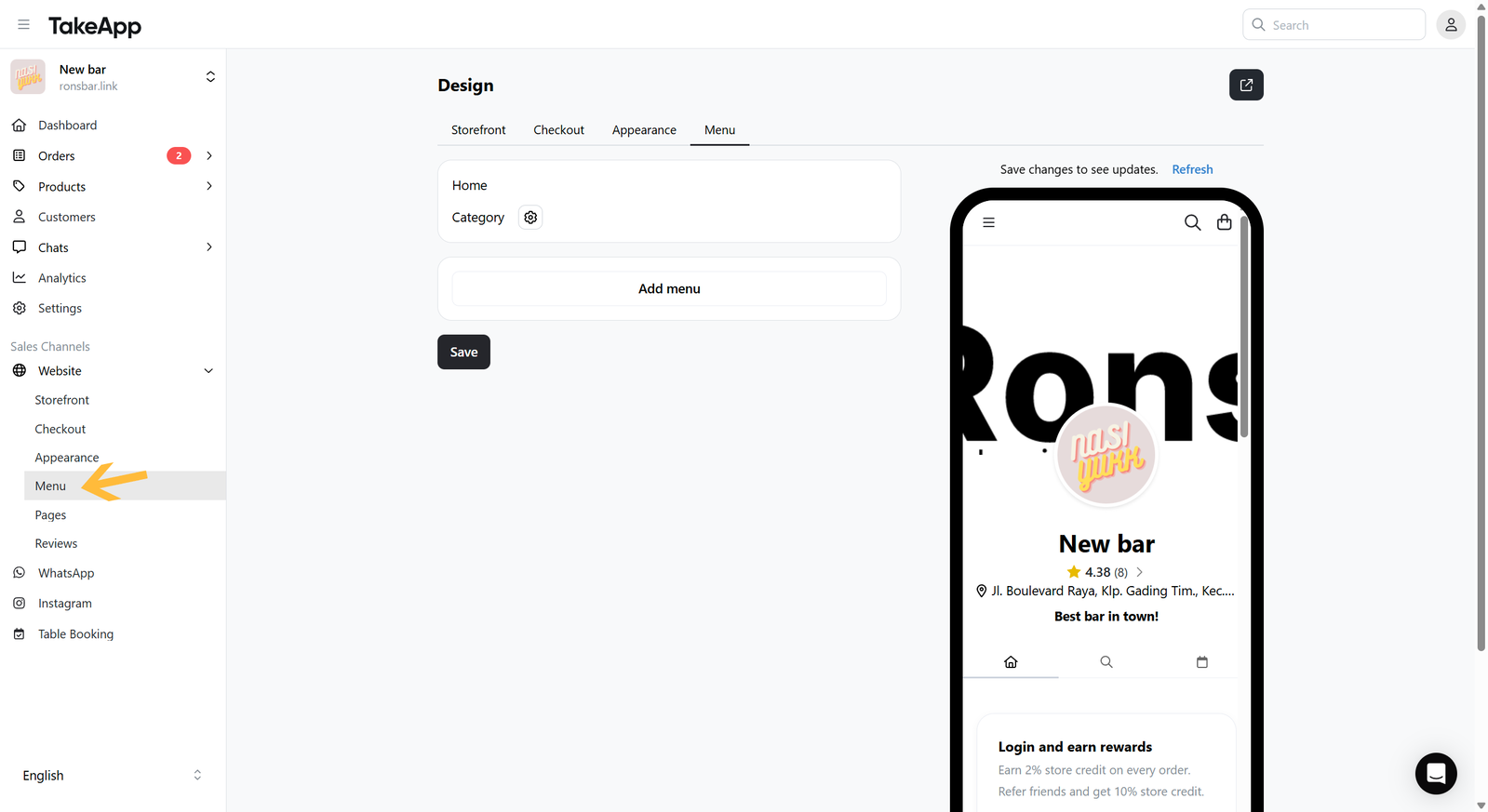
To add your custom menu, please go to Website > Menu
-
Click on
Add menu. You can add custom menu with external link on your storefront navigation. Links should start withhttp://orhttps://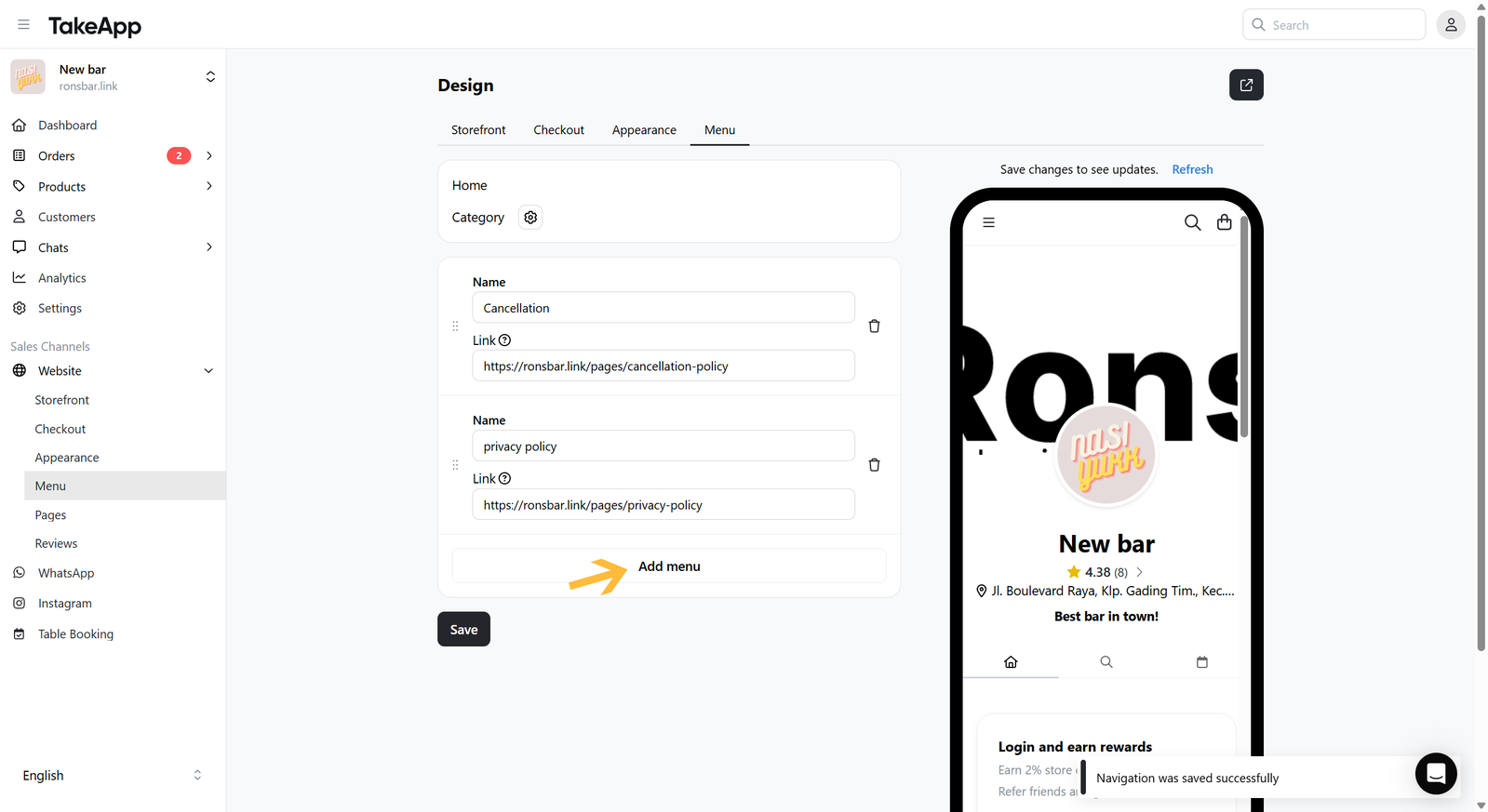
-
After saving, the custom menu will show on the storefront's sidebar.