
Learn how to invite team members to your Take App store
-
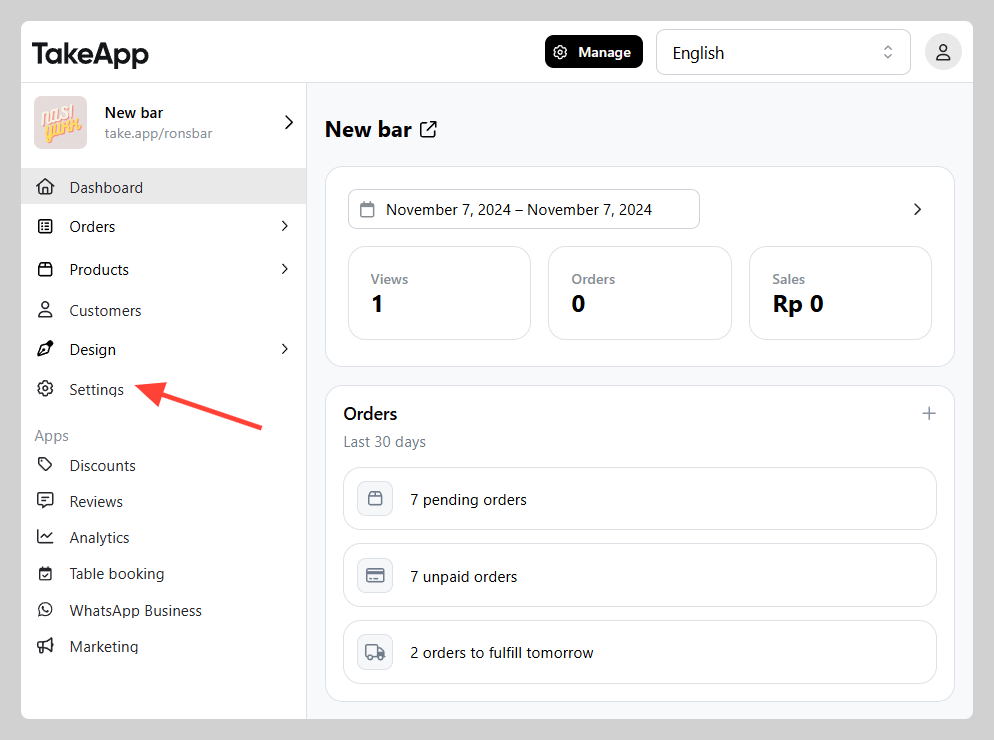
Navigate to Settings.
-
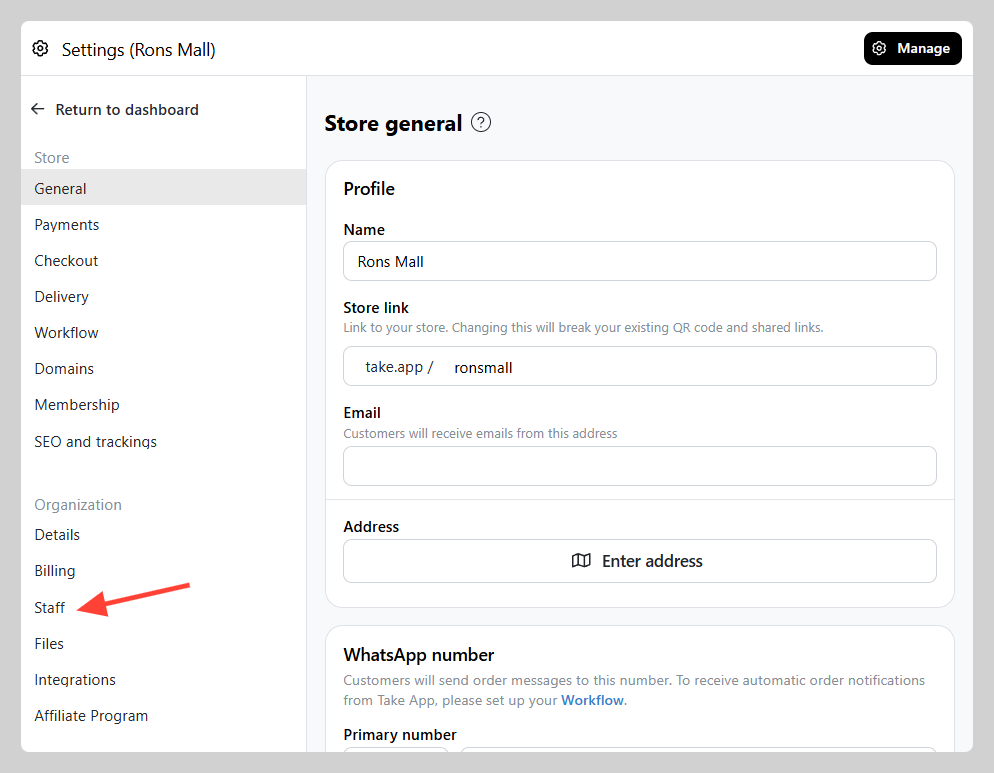
Proceed to Staff.
-
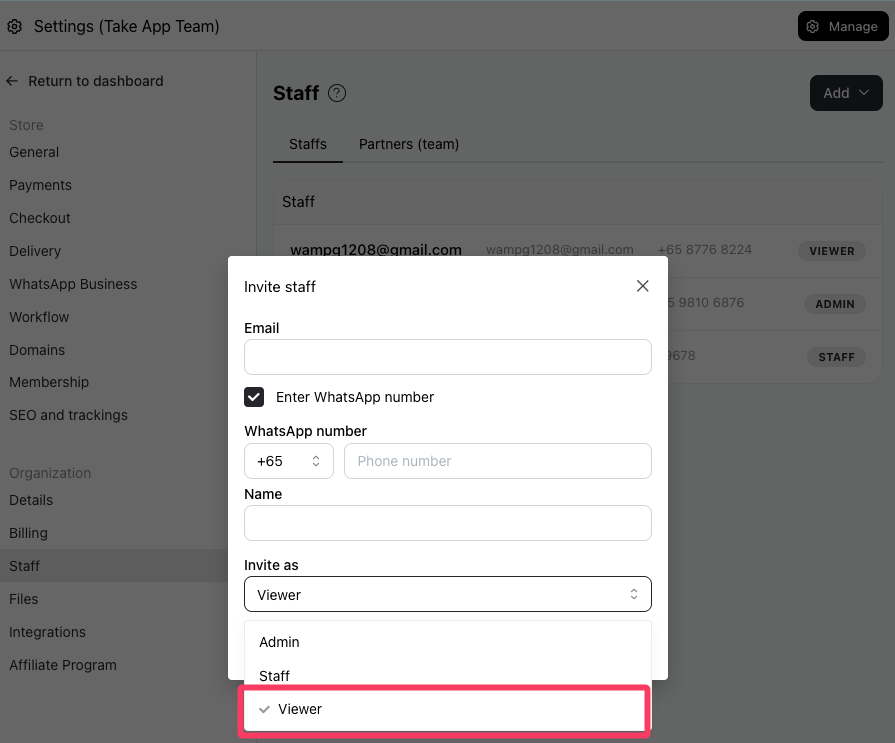
Click on Add button and Input the email addresses of the members you want to invite. Select Invite as "Viewer" Click Send Invite
Viewers will
Learn how to invite team members to your Take App store
Navigate to Settings.
Proceed to Staff.
Click on Add button and Input the email addresses of the members you want to invite. Select Invite as "Viewer" Click Send Invite
Viewers will
Chat with our team — we're online during business hours.