
You can override your Tax rate on specific product by using Tax override function
How to set up tax override
-
Go to Admin > Products > All > Choose one of the product that wish to do tax override.
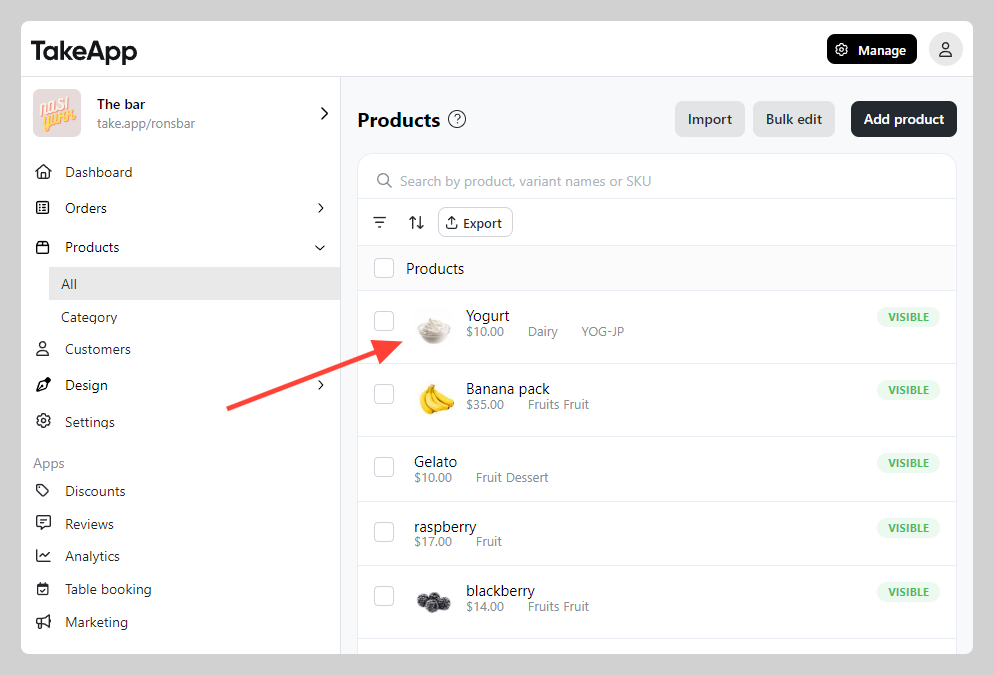
-
Navigate to "Pricing" section and click on
Show more.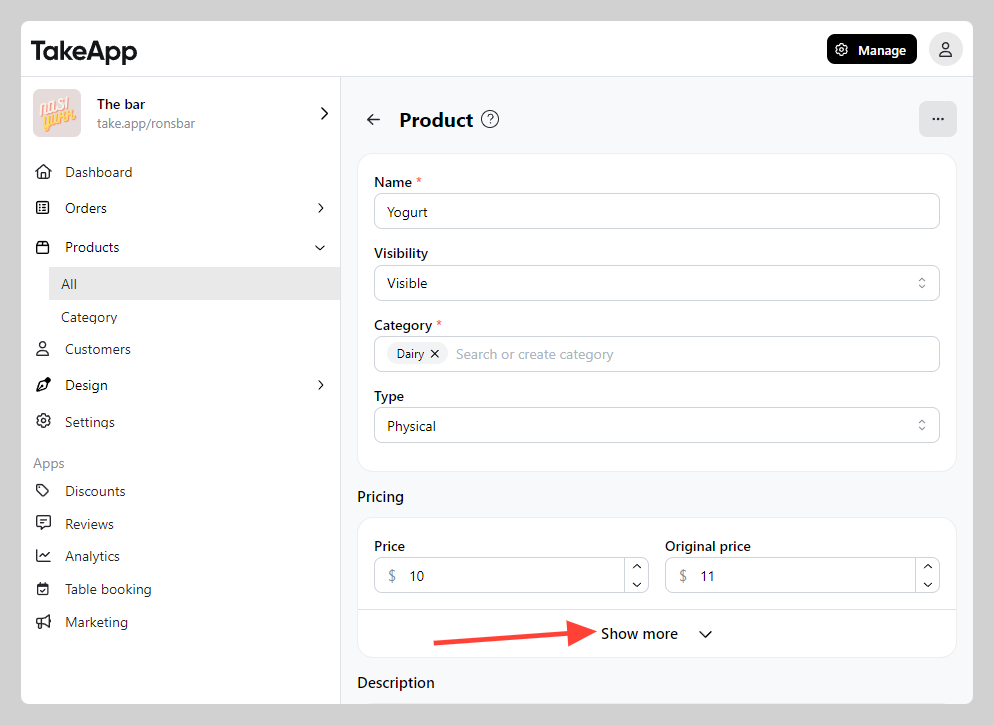
-
Toggle on "Tax override". Fill the item's specific tax rate. Click
Save.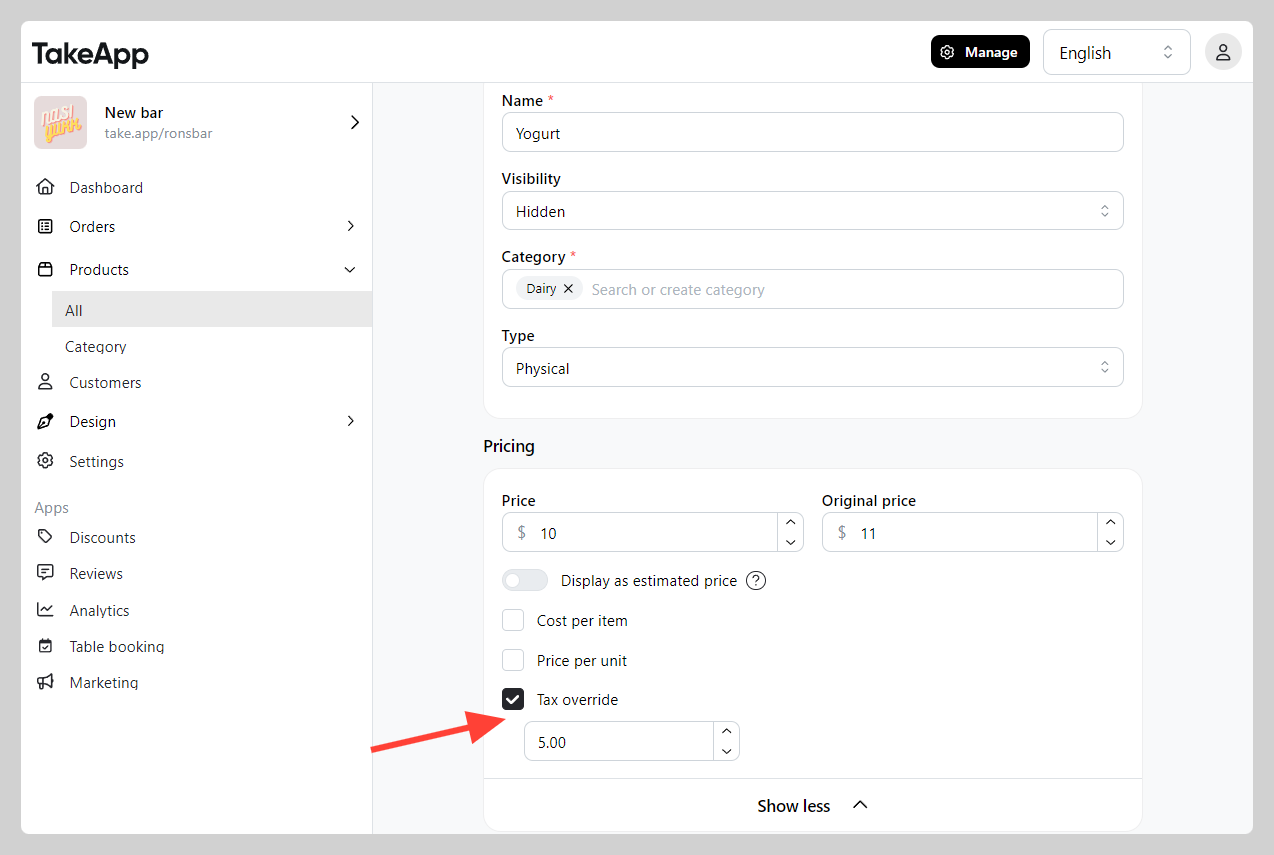
Example: Store tax (10%), if the product has Tax override of 5% then the store tax will not be applicable anymore towards that particular product